How Much Does Elementor Cost?
Elementor comes as both a free WordPress plugin, and as a paid WordPress plugin.
You can get the free Elementor WordPress plugin from your WordPress admin panel.
How To Get The Free Version Of Elementor
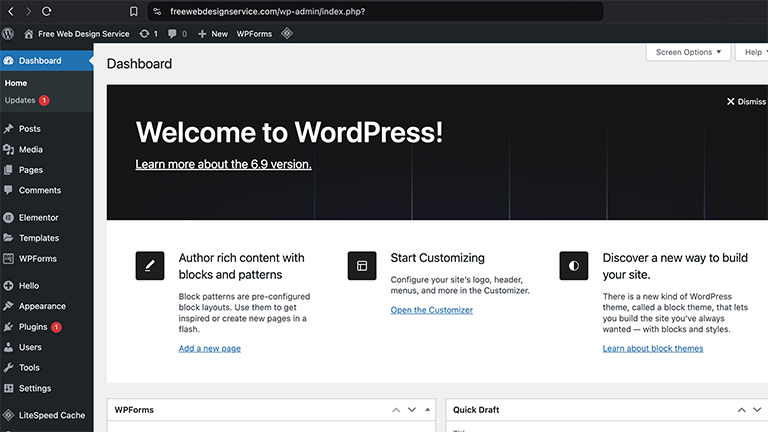
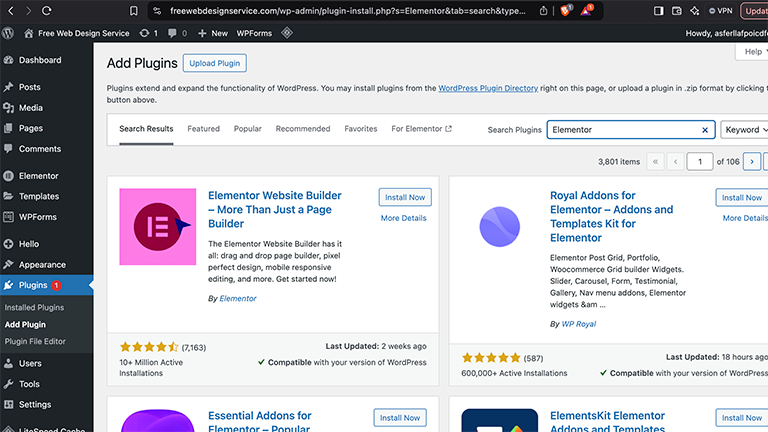
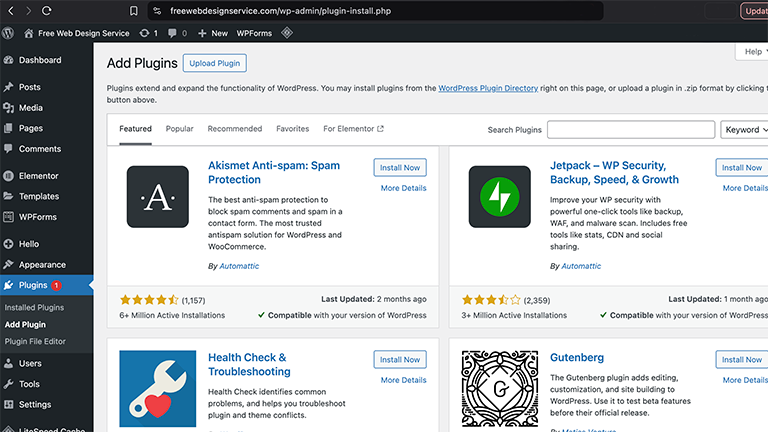
To download the free Elementor plugin, go to your website’s WordPress admin panel and to go to the plugins section and search for and install the free Elementor plugin.
It should be the first option when you search for “Elementor”, and will be “By Elementor”. Install the plugin and activate it.
How To Get The Paid Version Of Elementor
To get the paid version of Elementor, you will have to go to their website and pay for a subscription.
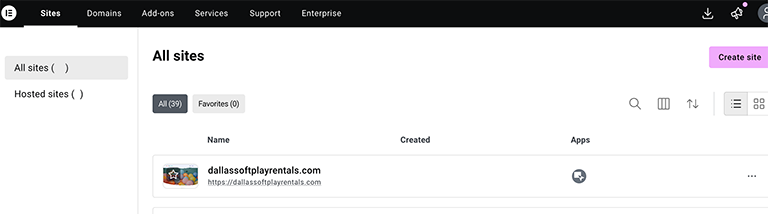
Once you have paid for a subscription to Elementor, you will need to be logged into to your Elementor account. Once you are logged in, click on the download icon that is located in the upper right hand corner of the page and download “Elementor Pro” to your website.
Once you have downloaded the paid version of Elementor from the Elementor website, go to your plugins page in your website’s WordPress panel and click on the plugins tab, and then click on the “Add Plugin” button.
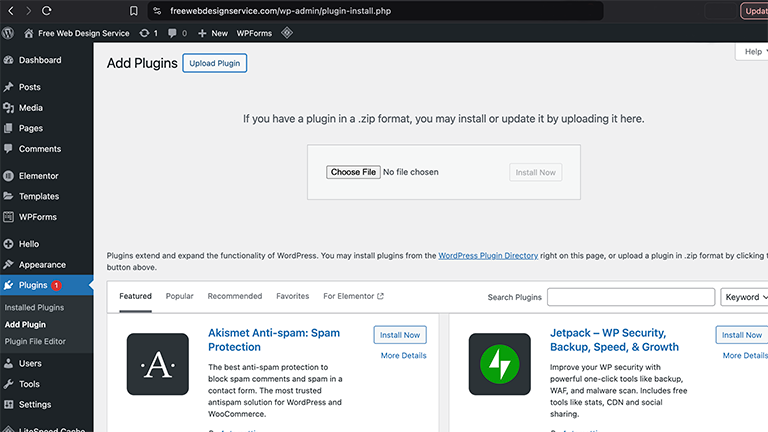
On the following page, click on the “Upload Plugin” button.
When you click on the “Upload Plugin” button, you can click on the “Choose File” button to look for the Elementor ZIP file that you downloaded or look for it using your computer’s File Explorer to look for it and upload it to WordPress.
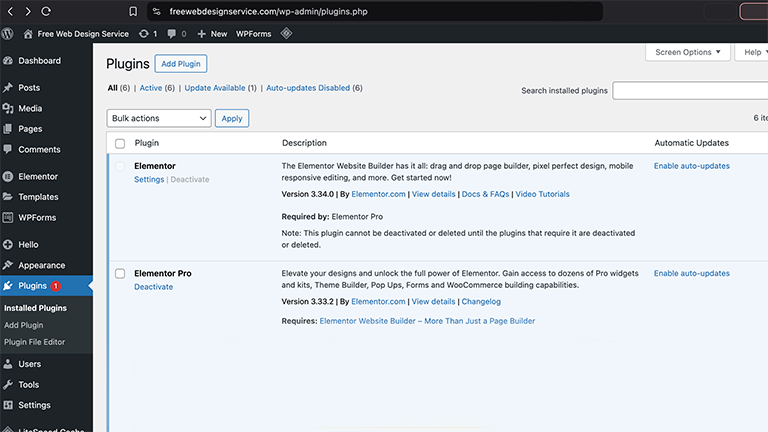
Once you have activated the Elementor plugin, both the free Elementor plugin and the paid Elementor plugin should appear in your WordPress admin panel’s Plugin page, like shown below.
You are then able to use Elementor’ free plugin and their paid plugin to build your web pages and blog posts.
Some Of Elementor's Features
Elementor is one of the best, if not the best, website builders for WordPress. I will go over some of it’s features below.
It Is A Drag-And-Drop Editor
Elementor is a drag-and-drop WordPress plugin that allows you create and customize web pages visually and with live previews. This means that you do not have to write a single line of code to create web pages, or to customize them and that you are able to see any changes that you make, as you make them.
Elementor's Free Plugin
Elementor offers a free WordPress plugin. This free plugin will let you play with Elementor which will let you get a good feel for it, while the free plugin actually let’s you build a simple, but functional website.
Elementor’s free WordPress version comes with over 40 widgets including headings, images, text editors, videos, buttons, galleries, carousels, icons, Google Maps, and more.
Elementor's Paid Version
Elementor’s paid version includes over 100+ Pro Widgets, including for contact forms, posts, portfolios, slider, login forms, pricing tables and eCommerce elements.
Elementor let’s you easily and quickly create pages and sections of pages such as custom header, footers, hero sections and more.
With Elementor, you can custom section of your pages, as well as create templates of them so that you save time by reusing sections, such as headers and footers, that you already created.
WooCommerce Builder
Elementor let’s you use WooCommerce to build fully customizable product pages, shop archives, shopping carts, checkout pages and more eCommerce features.
Templates
Elementor templates are pre-designed layouts that help you build professional looking pages and sections that you can customize using Elementor’s built-in drag-and-drop editor in seconds. This not only saves you a ton of time and effort, but many of them are professionally designed so you they help you start designing from a design that is already professionally designed.
Summary Of Features
Elementor has a ton of great features that make designing beautiful and fully functional websites and web pages easily and quickly.
Let Us Help You
If you want help designing and building your website using Elementor, reach out to us, or better, let us design and build your website for you and save yourself all of the time, energy and money that goes into building your website.
Get Elementor!
Start designing professional looking, beautiful and functional websites easily and quickly with Elementor.